Your smarter experience, just a tap away
Personalize your experience
Different heating modes, session lengths & intensities for your tobacco moment.
Track your device's location
Easily track and pinpoint your device's location using the Device Radar feature.
Take smart control
Battery control, settings configuration and device's security at a glance.
Get it on iOS
How TO ACCESSDownload the Bluefy browser app
Download the Bluefy Web BLE browser from the App Store and install it on your mobile. Then, revisit this page (or copy its URL to re-access it) in order to proceed to Step 2.
Access the Ploom iOS web app*
Once Bluefy is installed, just click on the below button to directly access the app. If the link doesn't work, you can copy this URL app.ploom.com & paste it in the Bluefy navigation bar.
Pair your AURA device
Log in with your credentials, or create an account in order to pair your device. Watch our video or read or FAQ for detailed instructions.
Download for Android
How TO INSTALLPair your AURA device
Log in with your credentials, or create an account in order to pair your device. Watch our video or explore the FAQ for detailed instructions.
Watch how to pair your device
The connected Ploom AURA device
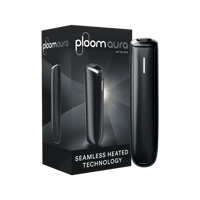
Ploom AURA is the slimmer, smarter, and smoother way to enjoy heated tobacco. In one simple, intuitive, and convenient device, Ploom AURA delivers true tobacco taste with style for seamless pleasure in every moment.
With you all the way
Our Ploom Care experts can help you get the most out of your Ploom app with live, real-time support and personal guidance to make your Ploom experience the best it can be.
Ploom App FAQs
Take smart control of your Ploom AURA device — and elevate your heated tobacco experience.
- Heating Modes: Customize your Ploom experience with different heating modes to tailor the intensity and session time – and find the sensation that suits your taste.
- Device Radar: Find your Ploom device by tracking its last known location and detecting it when it's nearby - so it's always easy to track down.
- Status Information: Check battery levels and device performance in real-time, so you're always in-the-know.
- Seamless Updates: Keep your device updated and secure with automatic upgrades.
- Rewards Program: Join Ploom Club and earn points with our exclusive rewards program.
Getting started is easy — simply pair your device with the app and start exploring.
Download the Ploom app now and take your heated tobacco experience to the next level.
Available on:
- Google Play Store – for Android devices
- iOS via Bluefy Web BLE Browser – access the web-app version through the Bluefy browser.
You can download the app directly from the Google Play Store. Just search “Ploom” or download the Ploom app via this link, tap Install, and follow the on-screen instructions.
Once it's installed, open the app and pair your Ploom AURA device to start exploring the app's features.
Currently, the Ploom app is available for iOS devices through a web-app version.
1. Download the Bluefy Web BLE Browser from the App Store by searching for “Bluefy” or download the browser directly here.
2. Once installed, open Bluefy and go to https://app.ploom.com/ to access the Ploom web-app.
3. Follow the on-screen instructions to connect and pair your Ploom device.
Yes, the Ploom app is completely free to download and install. All features are available at no charge.
To log in, you need to have an existing Ploom account. You can:
- Enter your email address and password
Don't have an account yet? Create one on the Ploom website here.
To pair your Ploom AURA device with your phone, turn on Bluetooth on your phone and open the Ploom app. Sign up or log in, then follow the instructions on screen. To add another device, tap the “+ icon” on the Home screen next to your device.
Once connected, your device is ready to use on the app.
Need more help? Watch our quick pairing video.
If you're having trouble with the Ploom app or your device, we're here to help.
Reach out to our Ploom Care experts for help, support, and guidance. We'd love to hear from you.
Ways to contact us:
Phone: *9010
Email: support@ploom.az
Live Chat: Click on the Live Chat icon in the bottom right corner of the screen
Contact form: Follow the Contact Us link
Open hours: Monday to Friday 10AM to 10PM & Saturday to Sunday 10AM to 6PM
We're with you all the way to make every moment you spend with Ploom a pleasure.
*This app sits in the browser bar of your web pages, perfect for iOS. Bluetooth connection requires Bluefy Bluetooth browser, downloadable from App Store.
The Bluetooth® word mark and logos are registered trademarks owned by Bluetooth SIG, Inc. and any use of such marks by JT International SA is under license.